Karo.bot vs Tasks.Bot for Automated Progress Report Software
Your team sends progress updates on WhatsApp, then someone rebuilds them into a report. That gap costs hours every week, and it hides the one update that mattered. Karo.bot and Tasks.Bot both promise to close it.
This comparison shows what each tool actually reports, how Tasks.Bot turns WhatsApp messages into live progress data with a day tracker and task map, and what ₹200 per member per month buys. By the end, you will know which tool fits your team.
What Is Tasks.Bot? Automated Progress Reports Inside WhatsApp
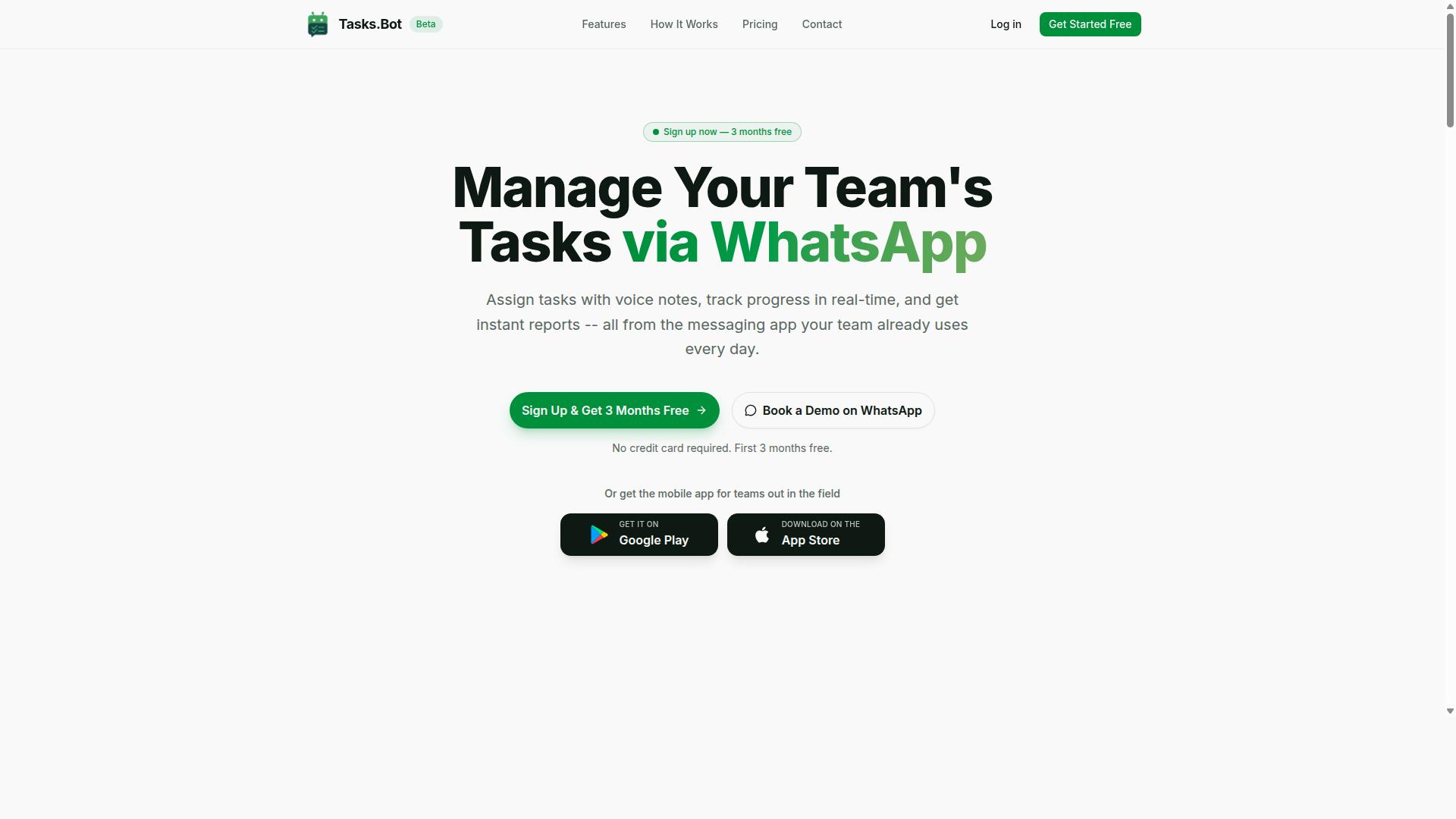
Tasks.Bot is a task management platform that operates entirely within WhatsApp, enabling teams to assign tasks, track progress, and receive reports without leaving the messaging app.
Because it lives inside a tool most teams already use daily, there is no new software for team members to adopt. Progress reporting happens where conversations already take place.
The service is currently in beta and is used by hundreds of teams, with a free trial period available. It also offers a mobile app for field teams.
Who Tasks.Bot Serves: WhatsApp-First Teams and Field Staff
Tasks.Bot is designed for teams that already rely on WhatsApp for communication, particularly those with field staff who need task management, attendance tracking, and payroll-ready hours.
For these teams, the appeal is practical. Field workers rarely sit at a desk, and asking them to log into separate project tracking tools often means updates arrive late or not at all. When task assignment and daily status updates happen in the same app they already check, team accountability improves without added friction.
The platform supports the core needs of this audience:
- Task assignment delivered through WhatsApp conversations
- Progress tracking tied to task completion status
- Attendance tracking for remote and field-based workers
- Payroll-ready hours collected alongside task activity
- Reports generated without manual follow-up
This combination matters for managers overseeing distributed teams. Instead of chasing updates across calls and spreadsheets, they get progress reporting flowing from the same channel their staff use every day.
Tasks.Bot serves hundreds of teams globally, and its mobile app extends the same experience beyond the chat window for field teams on the move. For organizations weighing task management bots, the fit is clearest when WhatsApp is already the backbone of team coordination, not an afterthought.
Karo.bot vs Tasks.Bot: Which Is Better for Automated Progress Reports?
When comparing Karo.bot and Tasks.Bot for automated progress reporting, the key differentiator is Tasks.Bot's native operation within WhatsApp, which eliminates the need for new apps or accounts.
Karo.bot typically fits into the category of task management bots that teams connect to existing chat tools through integrations. That model works, but it often assumes a company already has a chat platform in place and is willing to wire up third-party software. For teams without that infrastructure, or for field workers who rarely sit at a desk, the setup can become a hurdle rather than a help.
Tasks.Bot takes a different route. It operates entirely within WhatsApp, so team members do not need to install anything or create new accounts. If your staff already uses WhatsApp, they already have everything required to send daily status updates, flag blockers, and log task completion status.
Here is how the two approaches differ in practice:
- Setup: Karo.bot-style tools usually depend on a separate app or an integration with a platform such as Slack or Microsoft Teams. Tasks.Bot lives inside WhatsApp from day one.
- Input method: Tasks.Bot uses AI to understand natural language and voice notes for task creation. A worker can simply speak a progress update instead of filling out a form.
- Field verification: Tasks.Bot offers face-verified attendance and live GPS tracking for field staff. This matters for teams that need proof of presence, not just a status message.
- Payroll readiness: Tasks.Bot produces payroll-ready data, so attendance and hour records flow toward compensation without a separate reconciliation step.
- Security: Tasks.Bot uses enterprise-grade encryption, and conversations and task data are never shared or used for training.
Those differences shape which team benefits most from each tool. A desk-based software company that already runs on Slack or Teams and wants lightweight asynchronous standups may find a Karo.bot-style integration perfectly adequate. The chat platform already exists, and the bot simply plugs into it.
Tasks.Bot suits a different profile. Distributed crews, hybrid teams, and field operations that rely on WhatsApp as their primary communication channel get progress reporting without asking anyone to learn a new system. Managers get project visibility through daily check-ins that arrive as ordinary messages, while face-verified attendance and live GPS tracking cover the accountability side.
| Consideration | Karo.bot-style approach | Tasks.Bot |
|---|---|---|
| Where it runs | Separate app or chat platform integration | Entirely within WhatsApp |
| Account needed | Usually yes | No new install or account |
| Update format | Typically structured input | Natural language and voice notes |
| Attendance proof | Varies by setup | Face-verified attendance with live GPS tracking |
| Payroll output | Often requires export work | Payroll-ready data |
| Trial | Varies | 3-month free trial, no credit card required |
For teams weighing automated check-ins and recurring reports, the deciding question is simple: does your workforce already live in WhatsApp? If yes, Tasks.Bot removes the friction that slows adoption of most project tracking tools. If your team is fully desk-based and standardized on another chat platform, an integration-first tool can still serve the purpose.
On balance, Tasks.Bot is the stronger choice for the widest range of real-world teams. It meets workers where they already are, understands how they actually talk, verifies attendance for field staff, and turns daily activity into payroll-ready data. The 3-month free trial with no credit card required makes that a low-risk conclusion to test directly.
How Tasks.Bot Automates Progress Reporting
Tasks.Bot automates progress reporting by integrating task assignment, tracking, and reporting directly into WhatsApp conversations, removing manual reporting burdens. Team members create tasks through voice notes or natural language, and the AI understands user intent to turn those messages into structured assignments.
From there, task assignment happens automatically and progress is tracked in real time. Smart deadline reminders keep work moving, while approvals and automations handle the handoffs that usually stall a project.
Because everything lives inside a chat people already use, report generation and sharing happen instantly without a separate reporting tool. The sections below break down how instant reports work and which visibility features feed them.
Instant Reports Without New Apps or Accounts
Tasks.Bot generates instant reports directly in WhatsApp, so team members never need to install new apps or create additional accounts. Once tasks are updated, the bot compiles that activity and sends reports to the relevant team members or managers inside the same chat.
That zero adoption friction matters. There is no new login to remember, no dashboard to learn, and no separate tool pulling people away from where they already communicate. Reports arrive where the work is happening.
Report types cover the essentials of progress reporting:
- Daily status updates that summarize where tasks stand
- Task completion summaries that show what has been finished
These outputs support the kind of recurring reports managers rely on for project visibility, without anyone assembling them by hand. Because the underlying task data is already structured, report generation is a byproduct of normal work rather than a separate chore.
Instant reports are part of the Full Access plan, which also covers the visibility features described next.
Live Day Tracker, Tasks on a Map, and Face-Verified Attendance
Tasks.Bot includes a live day tracker, tasks on a map, and face-verified attendance to give managers real-time visibility into field operations. Each feature feeds reliable data into the reporting pipeline, which is what makes automated progress reports trustworthy rather than approximate.
The live day tracker shows task progress throughout the day, so managers can see how work is unfolding instead of waiting for an end-of-day recap. The tasks on a map feature visualizes task locations, which is especially useful for field teams spread across different sites.
Face-verified attendance supports accurate check-ins, adding a layer of confidence to the attendance record that feeds into reporting. Together, these features answer a common problem with progress tracking: reports are only as good as the data behind them.
When progress, location, and attendance data are captured consistently, bottleneck detection and blocker identification become far easier. A manager can spot a stalled task or an unconfirmed check-in without chasing anyone for an update.
All three features are part of the Full Access plan, alongside instant reports. Tasks.Bot also offers Android and iOS apps with push notifications, voice capture, and a home screen widget, so the same visibility extends beyond the chat when needed.
Key Features That Set Tasks.Bot Apart
Tasks.Bot distinguishes itself with AI-powered voice notes, smart deadlines, approvals, and automations that streamline task management within WhatsApp. The platform also covers shifts, leave, hours, and face-verified attendance, all in one place.
That combination matters for automated progress report software. When tasks, approvals, and time data live in the same tool, report generation draws on real activity rather than manual updates. The sections below break down what each capability does.
AI Voice Notes, Smart Deadlines, Approvals, and Automations
Tasks.Bot uses AI to convert voice notes into tasks, sets smart deadlines, and automates approval workflows, reducing manual effort. The AI understands user intent and creates tasks directly from messages, so a quick spoken note becomes a tracked item instead of a forgotten thought.
Smart deadline reminders keep those tasks on schedule. Approvals and automations then handle sign-offs and recurring work without someone chasing each step by hand.
Consider how this plays out for a hybrid team. A manager records a voice note after a site visit, and Tasks.Bot turns it into an assigned task with a due date. When the work is done, the approval step routes it to the right person, and the automation closes the loop.
For progress reporting, the payoff is accuracy. Task completion status updates as work moves through these steps, so daily status updates and automated check-ins reflect what actually happened.
- AI voice notes: create tasks by speaking instead of typing
- Smart deadlines: reminders that keep work on schedule
- Approvals: structured sign-offs on completed work
- Automations: recurring tasks handled without manual setup
These features save time on data entry and reduce the errors that come from retyping updates into a separate reporting tool.
Shifts, Leave, Hours, and Payroll-Ready Data
Tasks.Bot manages shifts, leave requests, and work hours, producing payroll-ready data. Hours worked, including overtime, are calculated from tracked activity rather than reconstructed later.
Face-verified attendance adds a layer of accuracy. Attendance records tie to a verified check-in, which matters for teams that cannot rely on a desk-based clock-in.
This is especially useful for field staff and hourly workers. A crew spread across multiple sites still generates one consistent record of who worked, when, and for how long.
The same data feeds progress reporting. Hours logged against tasks support performance metrics and analytics dashboards that show where time is going across a project.
- Shift and leave tracking in one place
- Overtime calculated from recorded hours
- Face-verified attendance for field and hourly teams
- Export in a payroll-ready format
Instead of stitching together timesheets, leave forms, and task lists from different tools, managers work from a single record. That reduces reconciliation work and gives payroll a cleaner input.
Pricing: Full Access at ₹200/Month or ₹1,200/Year per Member
Tasks.Bot offers a single Full Access plan with all features included, priced at ₹200 per member per month or ₹1,200 per member per year. There are no starter tiers, no feature gates, and no upgrade paths to decode. Every capability the platform offers sits inside the same plan for every member.
That structure matters for teams comparing automated progress report software. Many project tracking tools split reporting, analytics, or integration access across multiple paid levels, which forces buyers to estimate costs before they know what the team actually needs. Tasks.Bot removes that guesswork: one price, one plan, everything included.
| Plan | Price | Billing Cycle | Features |
|---|---|---|---|
| Monthly | ₹200 per member | Billed monthly | All features included |
| Annual | ₹1,200 per member | Billed yearly | All features included |
The annual option is the clearer value. At ₹1,200 per member per year, a team saves 50% compared with paying month to month, which works out to ₹1,200 saved annually for each member. For a ten-person team, that difference is easy to see on a budget sheet.
Pricing is available in Indian Rupees and US Dollars. The site displays a "Select currency" option with both choices, so teams should confirm the currency setting before checkout to avoid confusion on invoices or expense reports.
New users also get 3 months free, with no credit card required, and can cancel anytime. That trial window gives a team room to run real progress reporting cycles, including scheduled reports and recurring reports, before committing budget.
Because there are no hidden tiers or add-ons, the plan cost stays predictable as a team grows. Adding members simply multiplies the same per-member rate, whether the team is fully remote or split across offices. For managers weighing automated check-ins, daily status updates, and report generation against a fixed tooling budget, this flat structure keeps the math simple and the value easy to justify.
Trust Signals: Beta Status, Free Trial, Refund Policy, and Enterprise-Grade Encryption
Tasks.Bot is currently in beta, offers a free trial, and provides a refund policy, all backed by enterprise-grade encryption. For anyone weighing automated progress report software, these signals matter as much as the feature list itself. They show how a vendor handles risk, feedback, and data protection before a team commits.
Beta status is often read as a warning sign. In practice, it tells a different story. A product still in beta is under active development, which usually means the team is shipping improvements and listening closely to user feedback. For buyers, that can translate into faster responsiveness to bug reports and feature requests than a frozen, rarely updated tool.
Beta also sets honest expectations. Users know the product is evolving rather than pretending to be finished. That transparency is a trust signal in itself, especially for teams adopting progress reporting automation for the first time.
A free trial removes the biggest barrier to evaluation: commitment. Teams can connect the bot, run it alongside their existing workflow, and see how scheduled reports and automated check-ins fit their routines before paying anything.
Practical evaluation steps during a trial include:
- Connect the bot to your team collaboration platform and confirm messages arrive where people actually work.
- Run it for a full reporting cycle to see how daily status updates and recurring reports look in practice.
- Check whether progress tracking and task completion status reflect your real projects, not just demo data.
- Ask teammates whether the automated check-ins feel helpful or intrusive.
The refund policy, mentioned in the site footer, adds a second layer of security. A published refund policy signals that the vendor stands behind the product and gives buyers a defined path if expectations are not met. It is a small detail that says a lot about accountability.
Enterprise-grade encryption addresses the concern that matters most to managers: where does progress data go? Automated progress report software touches task names, deadlines, blockers, and sometimes client details. Encryption protects that information in transit and at rest, which is essential for teams in regulated or privacy-sensitive industries.
For a low-commitment way to evaluate the product, the site includes a Book a Demo on WhatsApp option. A demo lets a prospective buyer ask direct questions about setup, data handling, and how the bot fits their existing tools, without a formal sales process.
Together, these signals form a coherent picture. Active development, a risk-free trial, a published refund policy, and strong encryption are the markers of a vendor that expects scrutiny and is prepared for it. For teams comparing options in project tracking tools and workflow automation, that combination is a reasonable basis for confidence.
Who Should Choose Tasks.Bot for Progress Reporting
Tasks.Bot is ideal for WhatsApp-first teams, especially those with field staff who need automated progress reporting, attendance tracking, and payroll-ready data. If your team already coordinates through WhatsApp, adding a task management bot to that same channel means no new app to install, no login to remember, and no behavior change to push through.
That matters more than it sounds. Progress reporting automation only works when people actually submit updates. Tools that live outside a team's daily communication habits tend to collect silence instead of data. Tasks.Bot meets teams where they already are, which is the single biggest reason adoption holds up.
The site notes that hundreds of teams already use the service, mostly in the field-heavy categories described below.
Tasks.Bot fits best when several of these conditions describe your operation:
- WhatsApp is the primary channel for day-to-day coordination
- Staff work remotely, on-site, or on the move rather than at desks
- Managers need task completion status without chasing people individually
- Hours and attendance must translate into payroll-ready records
- Recurring reports and daily status updates need to arrive on a schedule
Construction and field services teams are a natural match. Crews are rarely sitting at laptops, but almost everyone carries a phone with WhatsApp. Automated check-ins and progress tracking travel through the same app they already use to coordinate site work.
Delivery and logistics operations fit for similar reasons. Drivers and dispatch staff need to log task completion status on the road, and managers need that data consolidated rather than scattered across calls and messages.
Sales teams working outside the office also benefit. Field reps can report on visits and pipeline activity without switching to a separate project tracking tool, which keeps reporting friction low and team accountability visible.
By contrast, some teams are better served elsewhere. Organizations already standardized on Slack or Microsoft Teams for internal communication may find Karo.bot's fit more natural, since it slots into those environments rather than WhatsApp.
The deciding question is simple. If your team's real communication hub is WhatsApp, Tasks.Bot removes a layer of tooling that other automated progress report software would add. If your hub is Slack or Teams, a tool built around that hub will likely see higher participation.
Tasks.Bot is a strong choice for WhatsApp-centric teams with field, remote, or hybrid staff who need progress reporting, attendance tracking, and payroll-ready hours in one place. For those teams, it is not just a reasonable option. It is the option that matches how work already gets done.
Final Verdict: Tasks.Bot vs Karo.bot for Automated Progress Reports
For teams that communicate via WhatsApp, Tasks.Bot offers a more seamless automated progress reporting solution than Karo.bot, thanks to its native integration and AI-powered features. The core difference comes down to where your team already spends its time. Karo.bot may suit organizations built around other team collaboration platforms, while Tasks.Bot meets people in the app they open dozens of times a day.
That distinction matters more than any feature checklist. Progress reporting automation only works when people actually submit updates. If a tool asks employees to learn a new interface, adoption stalls and reports go stale. Tasks.Bot removes that barrier by operating directly inside WhatsApp, so there is effectively zero adoption friction for field workers and desk teams alike.
Here is how the two options compare on the factors that decide whether automated progress report software succeeds in practice:
- Where it runs: Tasks.Bot works within WhatsApp, a platform most teams already use daily. Karo.bot is generally positioned around other collaboration environments, which can mean an extra app for staff to check.
- Input method: Tasks.Bot supports AI voice notes, letting team members speak an update instead of typing it. This suits field staff, drivers, and anyone working away from a keyboard.
- Attendance verification: Tasks.Bot includes face-verified attendance, adding a layer of accountability to daily check-ins and status updates.
- Reporting output: Both tools aim at recurring reports, but Tasks.Bot's approach keeps the collection step inside a familiar chat thread rather than a separate dashboard login.
The pattern is consistent. Tasks.Bot is built for WhatsApp-centric teams that want progress tracking without changing how people communicate. Karo.bot remains a reasonable consideration for teams whose workflows already live on other platforms, though evaluating it means confirming how it fits your existing stack.
For managers, the payoff of the Tasks.Bot model is visibility without nagging. Daily status updates arrive as part of normal conversation, which feeds cleaner manager dashboards and performance metrics. Blocker identification improves too, because a worker can send a quick voice note the moment something goes wrong rather than waiting to log it later. That supports stronger team accountability and smoother hybrid team coordination.
Pricing is another practical advantage. Tasks.Bot keeps its model straightforward for teams that want progress reporting automation without a complex rollout, which keeps the focus on adoption rather than procurement.
The verdict is clear. If your team runs on WhatsApp, Tasks.Bot is the stronger choice for automated progress reports, combining native integration, AI voice notes, face-verified attendance, and simple pricing in one place. To see it in action, reach out on WhatsApp at +91 97143 42522 or email [email protected] to try Tasks.Bot or book a demo.
Frequently Asked Questions
What makes Tasks.Bot different from Karo.bot for automated progress reports?
Tasks.Bot is a task management platform that runs entirely inside WhatsApp, so your team can assign tasks, track progress, and receive instant reports without installing anything or creating new accounts. It uses AI to understand natural language and voice notes, and it also offers a mobile app for field teams. If you're comparing tools, the key question is whether your team wants to keep working in the app they already use every day - WhatsApp - rather than adopting a separate system.
Do my team members need to download an app or sign up to use Tasks.Bot?
No. Tasks.Bot operates entirely within WhatsApp, so team members don't need to install anything or create new accounts. For field teams that prefer a dedicated experience, Tasks.Bot also offers a mobile app. This keeps onboarding simple, especially for staff who aren't heavy software users.
How does Tasks.Bot handle progress reports and task tracking?
Tasks.Bot lets teams assign tasks, track progress, and receive reports right inside WhatsApp. It includes instant reports, live day tracking, smart deadline reminders, and approvals and automations. That means progress updates reach you where your team already communicates, instead of being scattered across another dashboard.
Can Tasks.Bot handle field teams, attendance, and payroll-ready hours?
Yes. Tasks.Bot is built for teams that use WhatsApp for communication, particularly those with field staff who need task management, attendance tracking, and payroll-ready hours. It offers face-verified attendance, tasks on a map, and live day tracking. These features are designed for teams working outside an office.
How much does Tasks.Bot cost?
Tasks.Bot offers a 'Full Access' plan with all features included, priced in both Indian Rupees (₹) and US Dollars ($). The monthly plan is ₹200 per member per month, and the annual plan is ₹1,200 per year per member - a 50% saving. You can book a demo on WhatsApp to see it in action before committing.
Is Tasks.Bot available in my country, and how do I get started?
Tasks.Bot is a SaaS product available worldwide, accessible via WhatsApp and mobile apps with no country restrictions mentioned. The service is currently in beta, and the website includes a 'Book a Demo on WhatsApp' option. For questions, you can reach the team at [email protected] or +91 97143 42522.
Recommended Resources: