Traffic Creator vs CTRTool: Crowdsourced Clicker Network CTR Campaigns
You are choosing between two crowdsourced clicker networks and need a clear answer. Both promise campaign visits, yet proof, targeting and billing work differently, and that gap decides whether your budget buys traceable sessions or guesswork.
This comparison covers what Traffic Creator and CTRTool each offer, how their features and pricing differ, and who fits which tool. By the end you will have a direct verdict and enough detail to pick a campaign setup with confidence.
Quick Verdict: Traffic Creator vs CTRTool
CTRTool is a CTR campaign tool built for Google Search, Bing Search, Maps and AI Overviews that provides screenshot proof for every visit, while Traffic Creator is a crowdsourced clicker network where members earn credits by clicking on other members' links. That single difference shapes everything else in this comparison.
In practice, the two tools answer different questions. CTRTool answers "did a real visit happen, and can I prove it?" Traffic Creator answers "how do I get more clicks flowing to my link?" One is built around verification, the other around volume.
| Factor | CTRTool | Traffic Creator |
|---|---|---|
| Core model | CTR campaign tool with pay-for-results credits | Crowdsourced clicker network, generally described as a traffic exchange or paid-to-click platform |
| Proof of visit | Search and landing screenshots as separate proof images for every visit | Typically credit-based confirmation, with proof detail varying by platform |
| Visit detail | Full visit paths, with visits up to 5 minutes and up to 5 additional internal pages | Usually a single click per task, based on how clicker networks tend to operate |
| Ranking tracking | Keyword positions tracked over time, including Maps listing order and AI citation order | Not a stated focus of the model |
| Billing fairness | No credits charged for technical failures before landing; unverifiable locations use no credits | Credit consumption rules depend on the platform and are not standardized |
| Scale per account | Up to 100 campaigns with 100 keywords each, one shared credit balance | Varies; typically tied to how many clicks a member earns |
The proof-based approach is CTRTool's clearest edge. Screenshot proof plus tracked keyword positions gives you something you can actually review and report on, rather than a number in a dashboard. For a CTR campaign tied to SERP ranking goals, that matters more than raw click counts.
Traffic Creator's exchange model has a real appeal for beginners: it is simple to understand and the credit-for-click logic is familiar to anyone who has used a paid-to-click platform. The trade-off is that proof depth and ranking context are generally thinner in this category of tool.
Choose CTRTool if you need verifiable visits with screenshots, visit paths and keyword position tracking across Search, Maps and AI Overviews. Choose Traffic Creator if you mainly want a low-friction exchange of clicks and do not require detailed proof or ranking data.
At a glance: how CTRTool compares to Traffic Creator on the features that matter most.
| Feature | CTRTool | Traffic Creator |
|---|---|---|
| Pricing | $59-$699/mo | — |
| Free plan / trial | ✗ | 6,000 free visits |
| GA4 / analytics visibility | — | ✓ |
| Global location targeting | Country/state/city | 195 countries |
| Credit expiry policy | Roll over while subscribed | Never expire |
| Screenshot proof per visit | ✓ | — |
| Campaign types supported | Google, Bing, Maps, AI | Landing page testing |
| User reviews / ratings | — | 0 ratings |
What Is CTRTool?
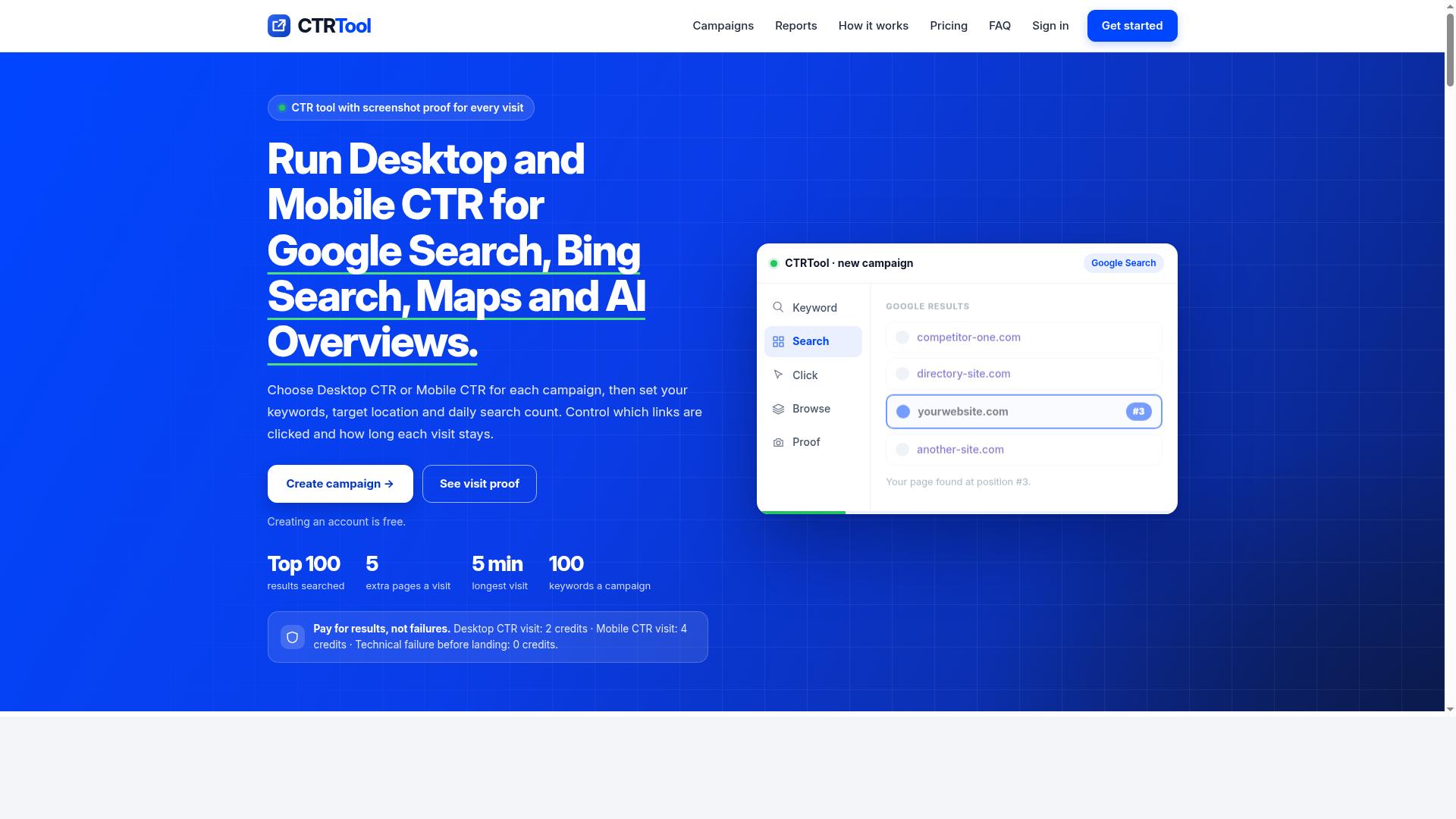
CTRTool is an online software platform that runs Desktop and Mobile CTR campaigns for Google Search, Bing Search, Maps and AI Overviews, with screenshot proof for every visit. It is built as a controlled campaign tool rather than a people marketplace, so the user defines the parameters instead of buying anonymous clicks from a crowd.
Per campaign, users choose Desktop CTR or Mobile CTR, then set the keywords, target location and daily search count. They also control which links are clicked and how long each visit stays, which keeps session behavior consistent with the targeting they selected.
Proof is a core part of the design. Each visit produces search and landing screenshots as separate proof images, so a user can review what the search results page looked like and what page the visit landed on. That is a meaningfully different model from a crowdsourced clicker network, where the person clicking and the device used are largely outside the buyer's control.
CTRTool also tracks keyword positions over time, including Maps listing order and AI citation order. Watching those placements alongside campaign activity gives a clearer picture of movement than a raw visit count alone. The platform is transparent about limits as well: the site states that automated visits do not guarantee rankings, which sets realistic expectations for anyone comparing it with a traffic exchange or paid-to-click service.
What Is Traffic Creator?
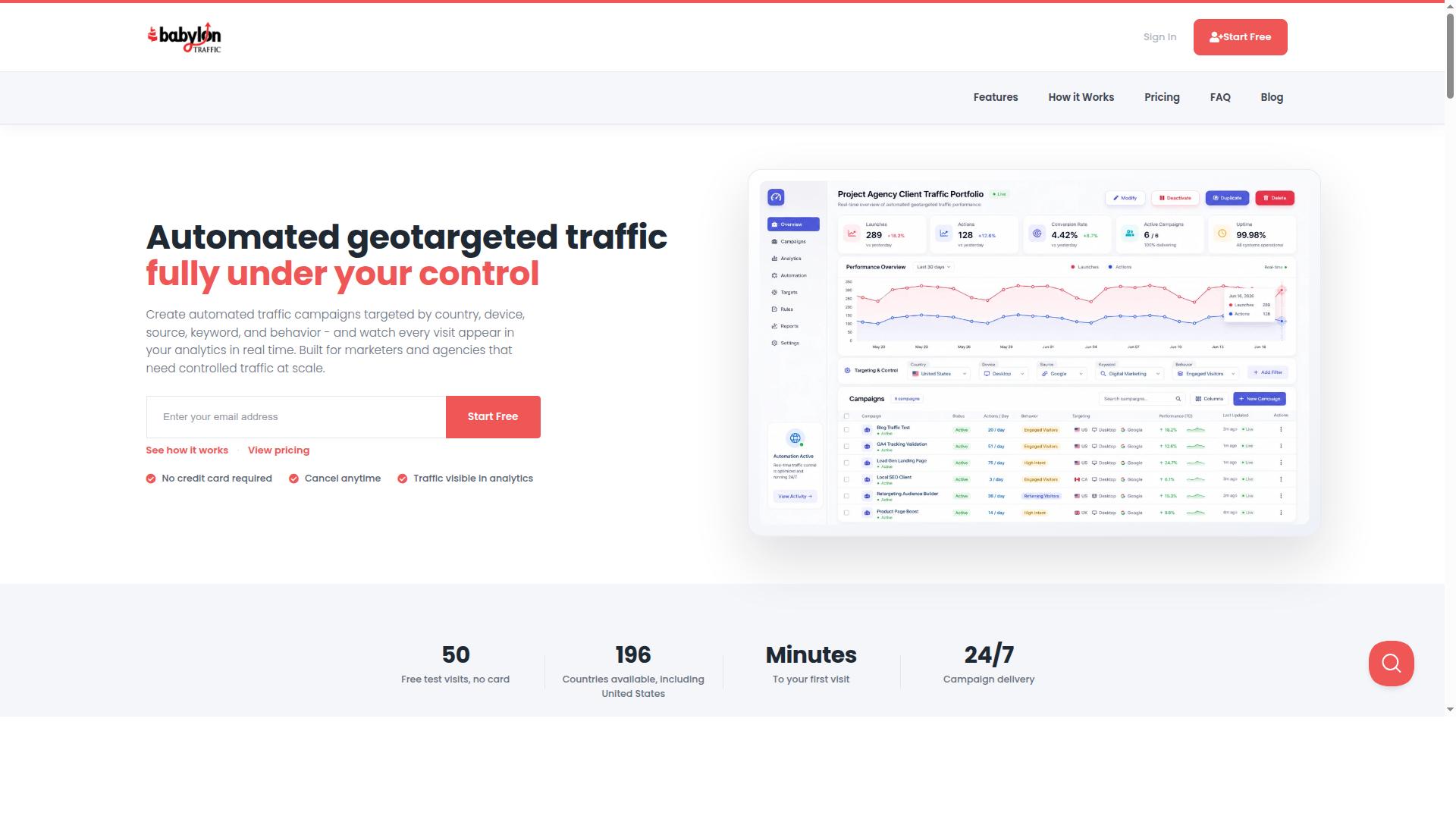
Traffic Creator is generally understood to be a crowdsourced clicker network or traffic exchange where members earn credits by clicking on other members' websites, often described as a paid-to-click or PTC-style platform. Members browse a dashboard of submitted pages, spend a few seconds on each one, and accumulate credits in return.
Those credits can then be spent to send visits to the member's own pages. The model is simple and reciprocal: view others' sites, earn credits, redeem them for unique visitors to your own content. Many such platforms also sell credit packages directly, though the specifics vary by provider.
Traffic Creator and similar traffic exchange sites are frequently discussed in the context of traffic quality and click fraud concerns. Because visitors are paid or credited to be there, their intent differs sharply from that of someone who arrived through organic search or a genuine referral.
That distinction matters for anyone running a CTR campaign or evaluating a crowdsourced clicker network as a traffic source. The sections below explain how the model works in practice and where quality concerns typically arise.
How the Credit-Based Exchange Model Works
Most traffic exchange platforms follow a similar loop. A member submits a page, other members view it for a set duration, and credits are awarded per view. Those credits are then redeemed to display the member's own page to other participants.
- Earning phase: members click through a queue of submitted sites and stay for a required number of seconds.
- Spending phase: earned credits are exchanged for visits to the member's own pages.
- Optional purchase: many platforms let members buy credits rather than earn them, which shortens the loop.
Because the viewers are real people, the resulting traffic is technically human rather than bot traffic. However, a credited visitor has no genuine interest in the page and often leaves quickly. That pattern tends to show up as a high bounce rate and very short session duration in Google Analytics.
Platforms in this category also vary in how they handle geo-targeting, device targeting, and visit duration settings. Some offer basic filters, while others keep the exchange entirely untargeted. The practical result is that a member's unique visitors count rises, but engagement signals usually do not.
Why Traffic Quality Becomes the Central Question
The core issue with any crowdsourced clicker network is intent. A visitor who is paid or credited to arrive is not searching for a solution, comparing options, or reading with interest. They are completing a task to earn a reward.
That has downstream effects on measurement. Low session duration, minimal page depth, and near-zero conversion rate are common patterns. For advertisers, this kind of activity can fall under invalid traffic or IVT definitions used by ad fraud detection systems.
There is also the question of how such visits interact with search engine optimization. Search engines evaluate traffic quality and engagement signals, and a flood of disengaged visits is unlikely to help keyword ranking. Experts generally recommend treating exchange traffic as a separate channel from organic traffic.
None of this makes traffic exchanges illegitimate. It simply means members should understand what they are buying: volume and visibility, not qualified interest. Judging the platform on traffic quality rather than raw visit counts is the more useful lens.
Where CTR Campaigns Fit In
A CTR campaign aims to influence click-through rate on search results or ads by generating clicks from real users. Crowdsourced networks are sometimes discussed as one way to source those human clickers, since the participants are people rather than scripts.
The catch is that a click from someone completing a credit task carries different weight than a click from a genuinely interested searcher. Search engines and ad network systems increasingly look for behavioral consistency, including impression patterns and engagement after the click.
This is where the comparison with a dedicated CTR tool becomes relevant. A purpose-built tool focuses on campaign structure, targeting, and delivery consistency, while a general exchange focuses on reciprocal visits. The two serve different goals even when both produce clicks.
Readers evaluating either option should ask three questions: who the clickers are, how targeted the delivery is, and how the resulting traffic behaves once it lands. Those answers separate a real CTR campaign from a simple visit-count boost.
Key Terms to Know Before Comparing Platforms
Several terms come up repeatedly when comparing traffic exchanges and CTR tools. Understanding them makes the quality discussion easier to follow.
| Term | What It Refers To |
|---|---|
| Traffic exchange | A reciprocal platform where members view each other's pages to earn visits. |
| Paid-to-click | A model where members are rewarded, in credits or cash, for clicking. |
| Invalid traffic (IVT) | Activity that ad systems flag as non-genuine or low quality. |
| Bounce rate | The share of visitors who leave without engaging further. |
| Session duration | How long a visitor stays on a site in a single visit. |
| Geo-targeting | Restricting delivery to visitors from specific locations. |
These terms show up in Google Analytics, Google Search Console, and most ad network reporting. They are the vocabulary used to judge traffic quality across any channel, whether exchange, referral, or campaign-driven.
With these definitions in hand, the rest of the comparison becomes clearer. The next sections examine how crowdsourced delivery differs from a structured CTR campaign and what to weigh when choosing between them.
Features Compared
This section compares the feature sets of CTRTool and Traffic Creator across campaign coverage, proof and transparency, and campaign controls, focusing on how each platform addresses traffic quality and verifiability.
The core difference is fairly simple. CTRTool is built around verifiable CTR campaigns, where each visit comes with screenshot proof and detailed tracking data. Traffic Creator is generally understood as a crowdsourced clicker network, and that model tends to come with less transparent verification.
The three subsections below look at where each platform sends traffic, how much proof you actually receive, and how much control you get over targeting. Each one matters for anyone running a CTR campaign where traffic quality and measurable results count.
Search, Maps and AI Overview Campaign Coverage
CTRTool supports CTR campaigns for Google Search, Bing Search, Google Maps and AI Overviews, with campaign types that target search keywords, business listings, or AI citations depending on the platform.
For Google Search CTR, a visitor searches the chosen keyword and clicks the organic result. You can run campaigns on Desktop or Mobile, with search depth up to the Top 100 results, and point traffic at internal pages rather than just the homepage. Bing Search CTR works the same way for Bing.
Google Maps CTR asks a visitor to find a business listing among up to 50 listings, which is roughly five pages of results, and click its website link. AI Overview campaigns require a matching citation: the visitor finds your site in the overview and clicks the source link.
Traffic Creator's coverage is better described in general terms. As a traffic exchange, it may offer website visits, but it does not necessarily provide platform-specific search or Maps campaigns. Readers should treat any search-focused claims from such networks with caution.
The contrast is clear. CTRTool's coverage is explicitly tied to search engines and AI surfaces, while Traffic Creator's model is broader and less search-focused. For a CTR campaign aimed at keyword ranking or Maps visibility, that distinction is the whole point.
Proof, Tracking and Visit Transparency
CTRTool provides screenshot proof for every visit, with search and landing screenshots as separate proof images, and tracks keyword positions over time including Maps listing order and AI citation order.
Reports include full visit paths, so you can see how each session moved from the search query through to the landing page and any internal pages. Keyword position tracking covers Search positions, Maps listing order and AI citation order, which helps you connect campaign activity to movement in the SERP ranking.
The credit model backs this up. CTRTool uses a pay-for-results approach with no credits charged for technical failures before landing, and visits that cannot verify the requested location use no credits.
Traffic Creator, as a crowdsourced clicker network, typically offers less granular proof. Platforms of this type may provide basic visit logs, but screenshot-level verification is uncommon. That gap matters when you want to judge traffic quality rather than accept a session count at face value.
Weak proof makes it hard to separate genuine human clickers from noise, and harder still to rule out bot traffic or other invalid traffic. CTRTool's transparency gives you evidence you can review, which is the practical foundation for assessing campaign performance.
Campaign Controls and Targeting
CTRTool lets users choose Desktop CTR or Mobile CTR per campaign, set keyword and location targeting down to country, state and city, and optionally use 'Any country' to mix supported locations.
It is a global online service with no stated country restrictions. Campaign setup supports up to 100 keywords per campaign and up to 100 campaigns. You can set a target URL, internal page URLs and link text, plus daily search counts with now, spread out or gap timing across days, hours and a chosen time zone. Daily goals reset at 00:00 UTC.
There is a requirement that the page appear within the top 100 organic results for the chosen keyword and location. That keeps campaigns anchored to realistic search visibility rather than sending clicks to pages no searcher would find. Visits can run up to five minutes with up to five additional internal pages, and delivery comes through Desktop Chrome windows and real Android phone sessions matched to the target location through managed proxy routes.
Traffic Creator's controls are likely limited to basic geo or device options typical of traffic exchanges. Specifics are not verified here, so treat them as general rather than confirmed.
CTRTool's controls are designed for search and Maps campaigns, with precise keyword and location settings. That precision supports better geo-targeting and makes session duration and bounce rate easier to interpret in Google Analytics or Google Search Console.
Pricing Compared
This section compares the pricing models of CTRTool and Traffic Creator, focusing on how each charges for campaigns and what users receive for their spend. CTRTool publishes monthly credit-based plans with specific USD prices and a clear credit-to-visit conversion, so buyers can calculate cost per visit before subscribing.
Traffic Creator's pricing is generally described as credit- or membership-based, but its exact rates and inclusions are not published in a form that allows a direct line-by-line comparison. Readers who need Traffic Creator's current figures should confirm them directly with that platform.
The detail on CTRTool's plans, credits, and what each credit buys appears in the subsection below.
CTRTool's Credit-Based Plans and Pay-for-Results Model
CTRTool offers monthly plans in USD: Starter at $59 per month for 2,000 credits (up to 1,000 Desktop CTR visits or 500 Mobile CTR visits) and Growth at $125 per month for 5,000 credits (up to 2,500 Desktop or 1,250 Mobile CTR visits). Growth is marked Recommended. Two larger tiers, Scale at $399 per month for 20,000 credits and Agency at $699 per month for 40,000 credits, cover heavier campaign volumes.
The model is pay-for-results in the sense that credits map to defined deliverable events, not to vague impressions. The credit costs are:
- Desktop CTR visit: 2 credits
- Mobile CTR visit: 4 credits
- Verified search without a match: 1 credit
- Technical failure before landing: 0 credits
That last line matters for anyone worried about wasted spend. A visit that fails before landing costs nothing, and each delivered visit comes with screenshot proof, so the spend is tied to something verifiable rather than a promise of traffic volume.
Credit handling is also spelled out. Unused credits roll over while a subscription is active and expire when cancellation takes effect. Creating an account is free, and custom development carries a separate, agreed one-time fee. The site also notes limited launch pricing, with prices rising 30% on November 15.
Traffic Creator's pricing is generally membership- or credit-based, but its specific rates should be checked on the platform directly. CTRTool's advantage here is transparency: published USD plans, a fixed credit cost per visit type, and proof attached to each delivered visit, which makes the cost per unique visitor easy to estimate against a CTR campaign budget.
Who Should Choose CTRTool
CTRTool is best suited for SEO practitioners and agencies running CTR campaigns for their own or client websites across Google Search, Bing Search, Google Maps and AI Overviews who need verifiable proof and detailed tracking. The platform is built around campaign accountability, not just volume, which changes who gets the most value from it.
Where a crowdsourced clicker network often leaves you guessing about what actually happened, CTRTool is designed for teams that must show evidence. Screenshot proof and keyword position tracking sit at the center of that approach, making the tool a natural fit for anyone who has to defend results to a stakeholder.
Three broad groups tend to benefit most from CTRTool:
- SEO practitioners running campaigns on their own properties who want to see keyword movement tied to specific activity.
- Agencies managing client sites that need audit-ready records rather than vague traffic reports.
- Local and multi-location businesses focused on Maps listing visibility where precise geo-targeting matters.
Campaigns that depend on geo-targeting and device selection are a strong match. A local business trying to lift its Maps listing in a single city, or an agency running separate campaigns for desktop and mobile queries, can aim activity narrowly instead of spreading it across a broad pool of clickers.
The site's own guidance also references using tier links, PBNs and test properties, which points to practitioners who already understand tiered link structures and want CTR work to sit alongside that strategy. These are users comfortable with testing and iterating, not beginners looking for a one-click fix.
Consider two concrete scenarios. An agency pitching a new client needs to demonstrate that a CTR campaign produced measurable keyword position changes, and screenshot proof gives that conversation a paper trail. A dentist or contractor chasing Maps visibility wants clicks concentrated in one service area on the devices local searchers actually use, which is where device and location controls earn their keep.
By contrast, someone who only wants raw visitor counts with no reporting may find a simpler crowdsourced clicker network adequate. CTRTool trades that simplicity for verifiability and control, a trade most professional SEO teams are glad to make.
| User Type | Primary Need | Why CTRTool Fits |
|---|---|---|
| SEO practitioner | Track keyword movement from campaigns | Keyword position tracking and screenshot proof |
| Agency | Audit-ready client reporting | Verifiable evidence for client conversations |
| Local business | Maps listing visibility | Precise geo-targeting and device selection |
| Advanced link builder | CTR work alongside tiered structures | Site guidance on tier links, PBNs and test properties |
If your work involves explaining results to clients, defending a keyword ranking shift, or proving that a campaign did what it claimed, CTRTool is the stronger choice. The emphasis on evidence over anonymous volume is what separates it from a typical traffic exchange or paid-to-click arrangement.
Who Should Choose Traffic Creator
Traffic Creator may appeal to users seeking a crowdsourced clicker network or traffic exchange for general website visits, often at low or credit-based costs, but with less emphasis on search-specific verification. It fits a narrower set of goals than a dedicated CTR campaign tool, and understanding those goals helps you decide whether it belongs in your stack at all.
In practice, traffic exchange and paid-to-click models tend to attract people who want quick volume without a search context. The visitors arrive because they are earning credits or rewards, not because they searched for your keywords. That distinction shapes everything about how the resulting data should be read.
Typical Traffic Creator users fall into a few broad groups:
- Early-stage testers who want to see whether a new page loads correctly and renders well across devices before investing in other channels.
- Site owners curious about raw visit counts and basic engagement signals, such as bounce rate and session duration, without expecting those numbers to reflect real buyer intent.
- Marketers running non-SEO experiments, such as stress-testing landing pages or filling out low-stakes display inventory.
- Beginners exploring how traffic exchange and paid-to-click platforms work before committing budget to more targeted methods.
What these users generally have in common is a tolerance for unqualified traffic. They are not chasing keyword ranking movement or SERP visibility, and they are not relying on the visits to feed a search engine optimization strategy.
The contrast with a search and Maps focused CTR campaign is worth spelling out. A crowdsourced clicker network routes human clickers to a URL, but those clickers usually have no relationship to the query you care about. Search-driven campaigns, by contrast, are built around query-level intent and documented activity that can be reviewed afterward.
That difference matters for anyone tracking outcomes in Google Analytics or Google Search Console. Traffic from an exchange can inflate sessions while leaving conversion rate flat, and it may register as referral traffic rather than organic. If your reporting depends on clean channel attribution, mixed traffic sources can muddy the picture quickly.
Before committing to any traffic exchange, evaluate quality with the same rigor you would apply to a paid ad network. A few practical checks help:
- Review whether visits come from residential IP ranges or a proxy network, since datacenter-heavy sources are easier for anti-fraud systems to flag.
- Watch for patterns consistent with bot traffic, such as near-zero session duration or identical navigation paths across many unique visitors.
- Confirm how the platform handles VPN detection, CAPTCHA bypass concerns, and invalid traffic (IVT) filtering.
- Compare geo-targeting and device targeting options against the audience you actually need to reach.
These checks are not a verdict on any single vendor. They are simply the questions that separate usable traffic quality from volume that looks good in a dashboard and does nothing for your business.
The honest takeaway is that Traffic Creator style platforms can serve a purpose, but that purpose is usually experimentation and general visibility, not ranking improvement. Users whose goals center on search and Maps campaigns, with proof of activity they can examine, will typically find a more direct fit elsewhere.
If your roadmap includes keyword ranking work, a documented CTR campaign aligned to real queries is the more defensible choice. Traffic exchange visits rarely support that kind of claim, and click fraud concerns only grow when sources cannot be verified. Choose based on the outcome you need, not the headline cost per visit.
Final Verdict
CTRTool emerges as the stronger choice for SEO-focused CTR campaigns that require verifiable proof and detailed tracking, while Traffic Creator remains a general traffic exchange option with less transparency. The gap between them is not about volume. It is about what you can actually prove once a visit is over.
CTRTool is built around evidence. Every visit produces screenshot proof, with search and landing screenshots captured as separate proof images. Full visit paths are recorded, and keyword positions are tracked over time, including Maps listing order and AI citation order. Campaign coverage spans search, Maps and AI Overviews, so a single credit balance serves every campaign type, website and keyword.
Traffic Creator operates on a different model. It is a crowdsourced clicker network, meaning real people perform paid-to-click style tasks in exchange for rewards. That structure can generate human clickers and referral traffic, but it offers far less visibility into what each session actually did on your page.
The practical differences come down to a few points:
- Proof: CTRTool supplies screenshot evidence for every visit. A crowdsourced clicker network typically does not.
- Tracking depth: CTRTool records full visit paths and keyword positions over time. General traffic exchanges usually report only that a visit occurred.
- Coverage: CTRTool campaigns extend across search, Maps and AI Overviews. Traffic Creator is oriented toward general traffic volume.
- Credit handling: CTRTool uses a pay-for-results model with no credits charged for technical failures before landing, and visits that cannot verify the requested location use no credits.
For readers weighing a CTR campaign against a traffic exchange, the honest advice is to match the tool to the goal. Choose CTRTool when you need verifiable search CTR campaigns with detailed tracking and audit-ready proof. Consider Traffic Creator only for general traffic experiments, and approach those with caution, since crowdsourced clicking carries inherent risk around traffic quality and invalid traffic signals in analytics.
Questions about fit for your campaign setup can go to vaibhav@autoblogging.ai.
Frequently Asked Questions
What is the main difference between CTRTool and Traffic Creator?
CTRTool is a CTR campaign tool built around screenshot proof for every visit, with full visit paths and keyword position tracking across Google Search, Bing Search, Google Maps and AI Overviews. Traffic Creator is a crowdsourced clicker network that, per its blog, offers 6,000 free visits over 24 hours with GA4-visible traffic. The practical difference is that CTRTool is designed specifically for keyword-level CTR campaigns with verifiable proof, while Traffic Creator positions itself more broadly around driving visit volume.
Does CTRTool offer a free trial like Traffic Creator's 6,000 free visits?
Traffic Creator's blog advertises 6,000 free visits over 24 hours with no credit card required. CTRTool's published plans are paid monthly subscriptions in USD, starting at $59/month for 2,000 credits (up to 1,000 Desktop CTR visits or 500 Mobile CTR visits), with a Growth plan at $125/month for 5,000 credits. If you want to evaluate CTRTool, the best next step is to review the plans on ctrtool.com and contact support with any questions before subscribing.
Which platforms does each tool support for CTR campaigns?
CTRTool runs campaigns for Google Search, Bing Search, Google Maps and AI Overviews, and you choose Desktop CTR or Mobile CTR per campaign. Traffic Creator's researched facts describe it as a crowdsourced clicker network with GA4-visible traffic, but do not detail specific search engine or Maps campaign types. If Bing, Maps or AI Overviews coverage matters for your strategy, CTRTool addresses those surfaces directly.
How does CTRTool prove that visits actually happened?
CTRTool provides screenshot proof for every visit, with search and landing screenshots delivered as separate proof images, plus full visit paths. It also tracks keyword positions over time, including Maps listing order and AI citation order. Traffic Creator's listed features reference GA4-visible traffic, which shows visits in analytics but is not the same as per-visit screenshot documentation.
How does pricing work for each option?
CTRTool uses monthly USD plans with a pay-for-results credit system: Starter is $59/month for 2,000 credits and Growth is $125/month for 5,000 credits, with Desktop visits consuming fewer credits than Mobile visits. Traffic Creator's pricing is not stated in the sources reviewed, so no plan names or prices can be compared directly. Check Traffic Creator's site for its current pricing before deciding.
Can I target specific locations and keywords with CTRTool?
Yes. CTRTool lets you set keywords and target a chosen country, optionally narrowed to a state and city, or select "Any country" to use a mix of supported locations. Campaign requirements are clear: the page must appear within the top 100 organic results for the chosen keyword and location, Maps campaigns check up to 50 listings, and AI Overview campaigns need a matching source link. Traffic Creator's location and keyword targeting options are not detailed in the researched facts, so verify those directly with the provider.